
<------------- PS : Readers must read the note at the end ------------------->
Hey friends, here in this post I'll show you how to bind 2 or more .exe files so that running the main execution file will also run your hidden execution files in background without the knowledge of user who is running it.
I am sure this will be helpful to you if you are seeking for a trick to keep your virus file inside a genuine software and make it to run when anyone installs that software.
There are many binder software available like filejoiners, file binders etc. I dont know how many of you are aware of this great windows tool. Even I was in search for those softwares to keep my virus files hidden untill I realize that there is an inbuilt windows .exe binder which can bind the files more effectievely than others. Also a great advantage that if you bind in this way the possibilities of being FUD (Fully Undetectable) is very high as it uses genuine windows tools. I will give you step by step explanation for binding 2 .exe files to a single package. Have you heard about IExpress anywhere before? If not just keep in mind that it is the inbuilt tool in windows used for binding .exe files.
Steps:
1) Open run (windows + R)
2) Type iexpress and hit Enter
This will open some thing like this,
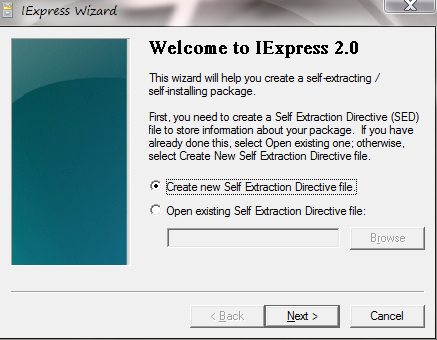
Do as shown in the screenshot above.
Select "Create new Self Extraction Directive file" and click Next.
3) Give a title for your package.

4) If you have give any message, it will be prompted before the user installs the package. Suppose if I give a message "For security reason please disable your antivirus". This will be shown to the user when he/she installs the particular package. Here, in this screenshot I have selected "No prompt".
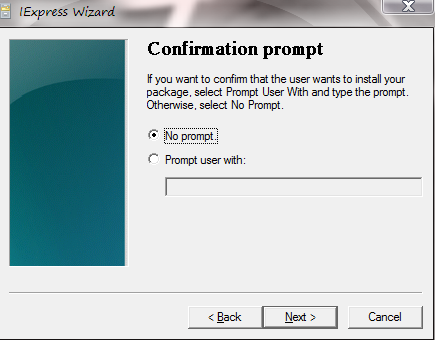
5) Select as shown below (recommended).
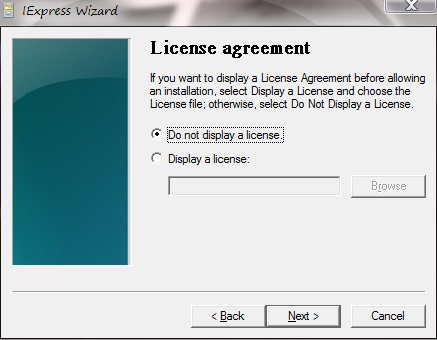
6) Now, click on "Add" button and select the files you want to bind. Here, I selected a genuine software and a virus file created by me and bind them together. So, when any user would install this particular software, user observe that the software is installing as usual, but he cannot see that a virus file has also been installed along with the software.
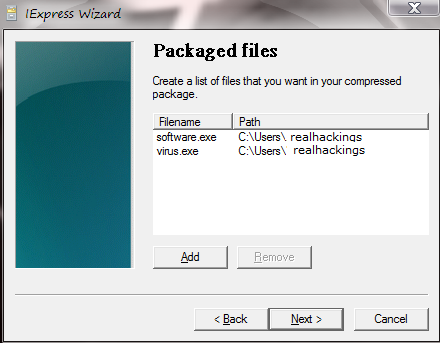
7) After clicking on "Next", there will appear 2 options i.e. Install program and Post install program. Just select the files as shown below (either way will also work) and click next.
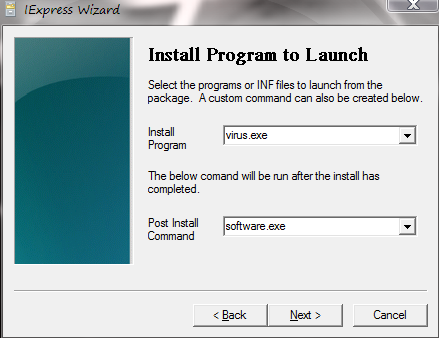
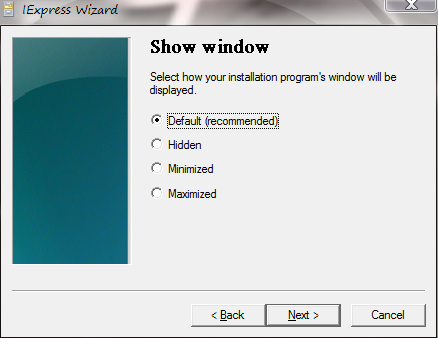
8) Select as shown below.
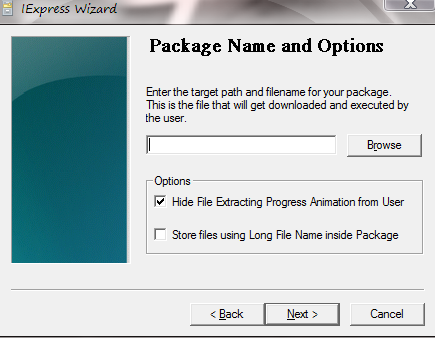
9) Mention any path of your Hard Drive (this is where your newly created file would get stored) and tick the "Hide File...." option (highly recommended).
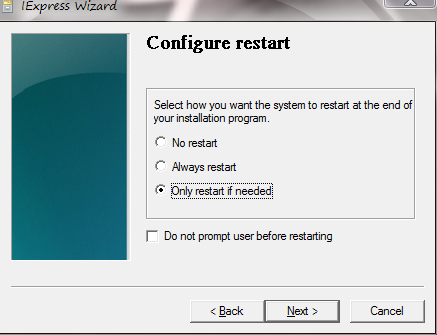
10) Select as shown below and click next.
11) Select "Don't save" and click next.

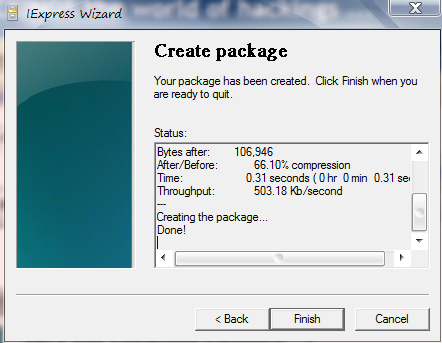
12) Click Finish and you're done.
NOTE: Binding techniques are mostly used to attach keyloggers, that will spy your each and every activity performed on your computer. These activity could be your bank transactions, your username and password of different login sites viz. Facebook, gmail, Bank sites etc. Hence this a request to all, not to download any kind of software from unknown websites, because most of the cracked softwares are attached with keyloggers that you can't detect easily.
So, be alert and download softwares from authorized and trusted websites only.
Thanks,
Parag


